Maya QR Code for Sellers: Payment QR vs Link QR Explained
A plain-English guide for Filipino sellers on using Maya with QR codes: which QR to print for in-app payments, when a mymaya.me link QR helps, and print tips.
By James Dom · ·
If you sell in the Philippines, from a sari-sari store and a milk tea stall to an online shop on Facebook, there's a good chance customers ask, "Pwede Maya?" Saying yes is easy. Knowing which QR code to show them is where many sellers get confused.
There are really two different things people call a "Maya QR code": the payment QR that comes from Maya itself, and a link QR that simply opens a web address such as a Maya Business payment link. They look alike on a printed card, but they behave very differently. This guide explains the difference, when to use each, and how to print a sign customers will actually trust.
Quick note: qrfyy is not affiliated with Maya Business. qrfyy does not create Maya payment codes and cannot read or recreate the QR image inside the Maya app.
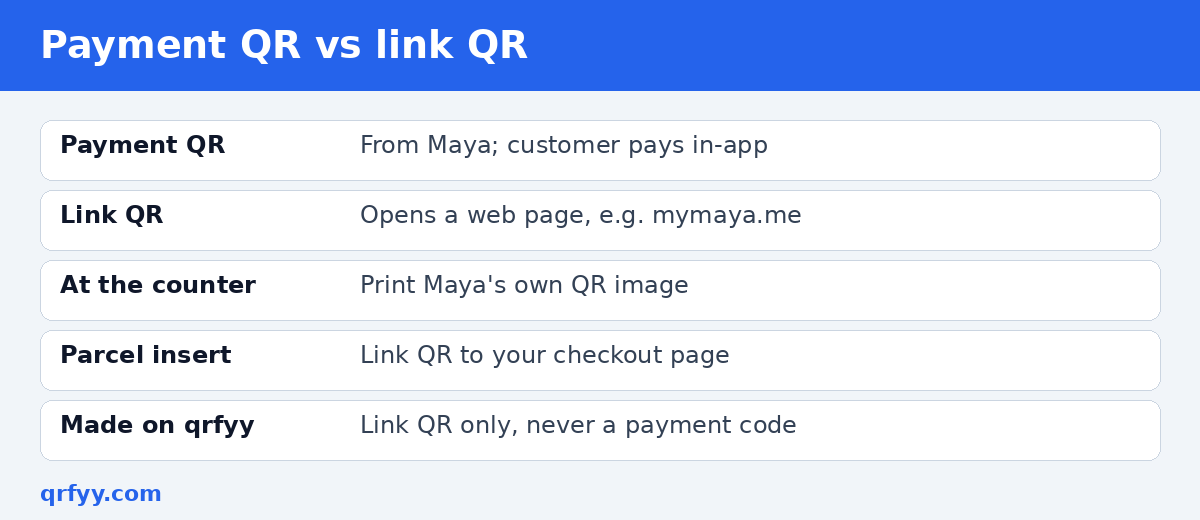
Payment QR vs link QR: the key difference
The payment QR from Maya
This is the code Maya generates for you inside its own app or merchant tools. When a customer scans it with their e-wallet or banking app, the payment happens inside that app. This is the one you want at a counter where people pay on the spot.
Rule of thumb: if a customer should pay inside their app, print the image Maya gave you. Don't redraw it, re-type it, or run it through a generator.
The link QR (for example, a mymaya.me link)
Maya Business can give a merchant a web payment link in the form `https://mymaya.me/your-name`. According to Maya's own business help, that address is created after Checkout and Invoicing are turned on in Maya Business Manager, and the name in the link is the merchant alias chosen during setup. Maya also lets you add `?amt=100` to put an amount in the link.
A QR code made from that link, which you can create on the qrfyy Maya link QR page, simply opens the checkout page in the customer's phone browser. It's not an in-app payment code, so the person scanning should expect a web page, not a Maya app prompt.
When to use each one
| Situation | Best choice |
|---|---|
| Customer paying at your counter or stall | Maya's own payment QR |
| Parcel insert or thank-you card for online orders | Link QR to your mymaya.me page |
| Invoice or quotation sent by chat or email | The plain link, plus an optional link QR |
| Poster for a pre-order with a fixed price | Link QR with the amount parameter |
| Social media graphic | The link itself (people tap it), plus a QR for desktop viewers |
How to make a mymaya.me link QR code
- Open Maya Business Manager and copy your payment link using the copy icon beside it.
- Go to the Maya link QR code generator and paste the full `https://` address.
- Optionally add your logo; the QR code with logo page explains how to keep it scannable.
- A frame such as Pay here shows on the preview only. The downloaded file is the QR image, so also write Pay here beside it. Use SVG if you'll print it large; PNG is fine for chats.
- Scan it with at least two phones before printing to confirm it opens your checkout page.
The code is free, has no watermark, and as a static code it doesn't expire; the link is stored inside the image. It only stops working if the link itself stops working.
Should you use a dynamic code?
If you print hundreds of parcel inserts and think your payment link might change, a dynamic QR code lets you edit the destination later without reprinting. qrfyy dynamic codes are free (up to 20 per owner key) and show basic scan stats like time and device category. For a counter payment, though, always use Maya's own QR.
Designing a payment sign customers trust
Scams involving swapped QR stickers exist (the FBI's IC3 has warned about criminals tampering with QR codes), so customers are right to be careful. A clear, professional sign reassures them.
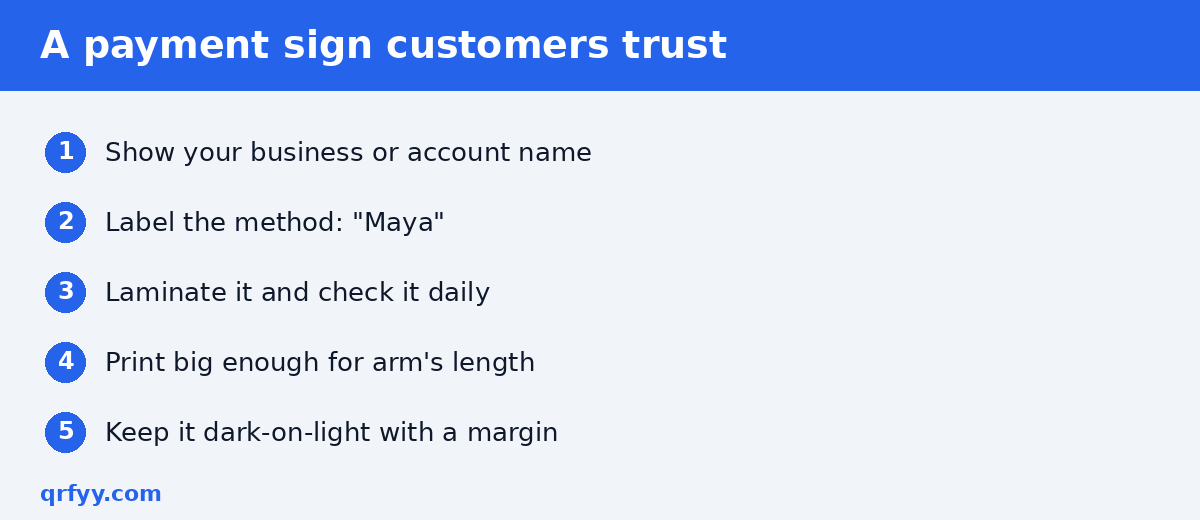
- Write the name customers will see. Put your registered business or account name on the sign so buyers can match it on their confirmation screen.
- Label the method. Write "Maya" next to the code. If you also accept GCash or QR Ph, label each code clearly rather than mixing them.
- Laminate or protect it. And check it every morning. A sticker pasted over your code is a classic trick.
- Print large enough. A counter card should be easy to scan at arm's length. See our QR code size guide for printing.
- Keep contrast high. Dark code, light background, clear margin. More in QR code design best practices.
Where Maya link QR codes work well
- Parcel inserts: "Order again? Scan to pay for your next pre-order."
- Delivery receipts: for cash-on-delivery customers who'd rather pay online next time.
- Event booths and bazaars: next to the official payment QR, a link QR to your online shop or menu.
- Pre-order posters: a fixed-amount link for a specific product bundle.
Pair it with other helpful codes: a Facebook QR code for your page, a Google review QR code, or a Shopee QR code to your shop.
What about GCash and QR Ph?
Most Filipino sellers accept more than one wallet. The same logic applies: for in-app payment, print the QR the provider gives you. For GCash, print the receive-money image from the GCash app. App menus change, so use the image the app saves. qrfyy's GCash link page only makes a link QR, not a GCash payment code. QR Ph itself is the Philippines' national QR code standard, implemented under guidelines in BSP Circular 1055. For the bigger picture, read QR Ph for small business, GCash QR codes for your store, and QR codes for sari-sari stores.
Common mistakes to avoid
- Screenshotting the Maya app QR and running it through a generator. The result won't behave like Maya's code. Print Maya's original image.
- Pasting a mobile number instead of a link. A link QR needs a web address starting with `https://`.
- Using a private or test link. Open the link in a private browser window first.
- Printing tiny codes on glossy stock. Glare and small size cause most failed scans. See 7 QR code mistakes that stop a scan.
- Not labelling codes. An unlabelled square on a counter looks suspicious.
FAQ
Can qrfyy make a Maya payment QR code?
No. qrfyy makes link QR codes. For in-app payments, print the QR image Maya provides.
Is a mymaya.me link the same as the Maya app QR?
No. The mymaya.me link opens a web checkout page in the browser. The app QR is a separate code from Maya.
Where do I get my mymaya.me link?
From Maya Business Manager, after Checkout and Invoicing are turned on. Use the copy icon beside the payment link.
Do link QR codes from qrfyy expire?
Static codes don't expire because the link is stored in the image. They stop working only if the link itself stops working.
Can I put my logo on the code?
Yes. Add a logo when designing, keep it small, and test scans before printing. Make your Maya link QR now: use the free Maya link QR code generator: no signup, no watermark.
Ready to create your own QR code?
Try qrfyy free