QR Code for a Sari-Sari Store: Payment QR vs Info QR
Use the official GCash or QR Ph image to get paid. Use a qrfyy code only to open a page. qrfyy does not take payment.
By James Dom · ·
Payment QR and info QR
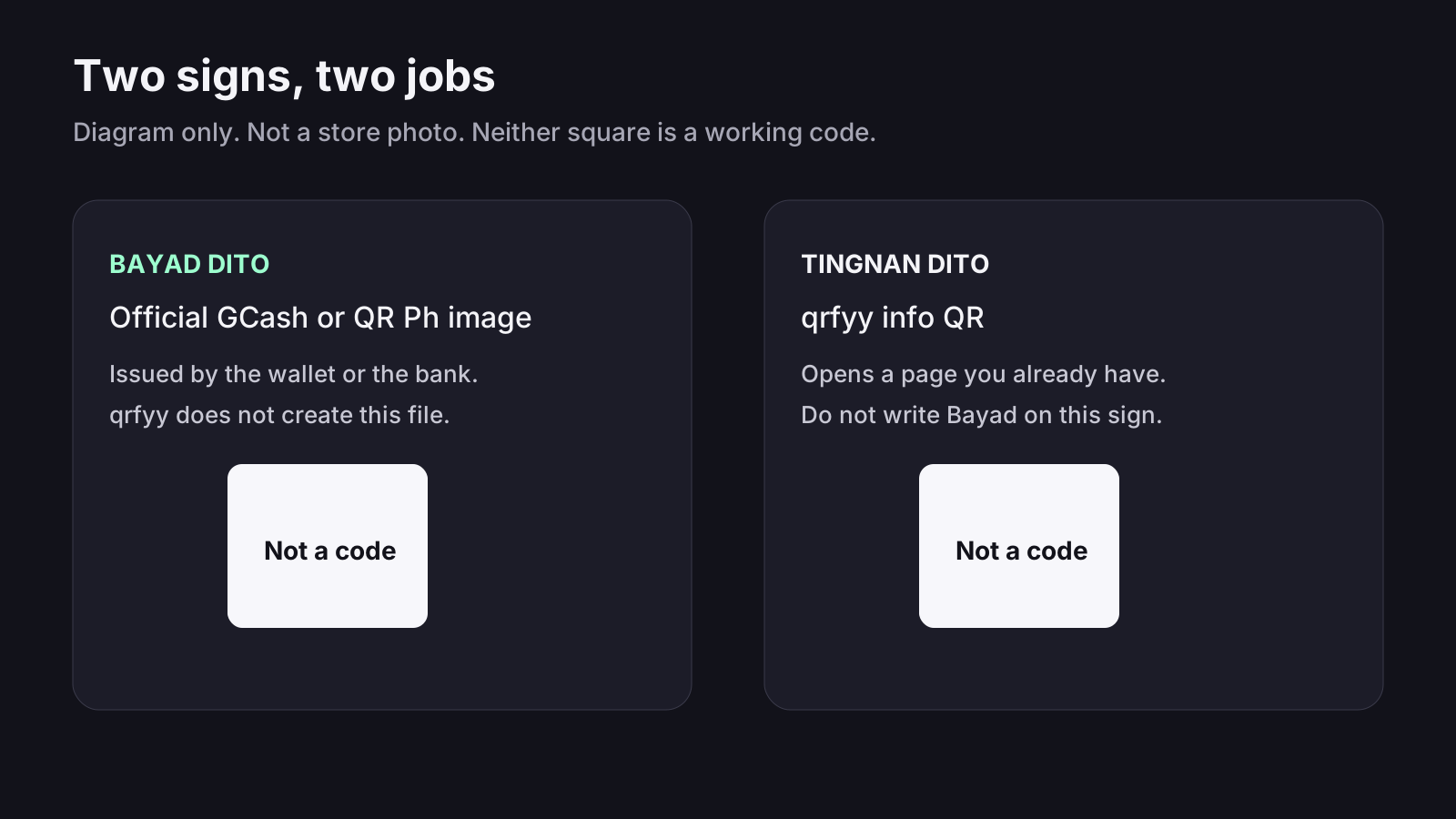
A sari-sari counter needs two different squares when it needs both jobs. The payment square is the official GCash or QR Ph image from the wallet or the bank. Write Bayad dito beside it. The info square is a qrfyy code that only opens a page you already have. Write Tingnan dito beside that one. qrfyy does not issue a payment code, and a static info code is not tracked.
Optional second code
Skip the second code if you have no public page. A code that opens nothing is worse than no code. If you do have a Facebook page, a Messenger or WhatsApp link, or a price list, make that code on qrfyy and keep the Pay label off it.
Payment QR vs info QR
Write “Bayad dito” beside the wallet code and “Tingnan dito” beside the info code, or use plain English: Pay and Look. Customers should not have to guess which square takes money. The same split is in the GCash store guide, the QR Ph guide, and QR codes for Philippine businesses.
| Official payment QR | qrfyy info QR | |
|---|---|---|
| What it does | Takes a GCash or QR Ph payment | Opens a page you already have |
| Who issues it | GCash, your bank, or Maya | You, on qrfyy |
| What it works with | The wallet payment flow | A phone camera |
Counter setup
Do this once, then test it with your own phone before the store opens.
- Save the receive-money image from the GCash app, or the QR Ph file from your provider. App menus change, so follow the current screen in the app. The GCash store guide explains what qrfyy cannot create.
- Write the store name and “Bayad dito” next to that image.
- If you have a Facebook page, a Messenger or WhatsApp link, or a public price list, paste that address on qrfyy.
- Label the second code “Tingnan dito” or “Message us”. Do not write Pay on it.
- Tape both at eye level, with a blank margin around each square.
- Scan each one. The payment code should open the wallet flow. The info code should open the page.
Three uses for an info QR
Skip any of these if you do not already have the page. A code to nowhere wastes the square.
- Facebook page: paste the page link on the Facebook QR page so regulars can follow the store.
- Price list: paste a public link to the list. qrfyy does not host the file.
- Orders: paste a Messenger or WhatsApp link so a customer can send a message. That chat is not a payment.
Printing and placement
Start with a width of about one tenth of the distance from the phone to the sign. That is a rule of thumb, not a qrfyy lab test, and it is the same chart as the print size guide. Use a dark code on a light background. Leave the quiet zone, the blank margin, on all four sides. Matte paper beats a shiny tape that throws glare. Scan a sample in the shop light, not only on the phone that made it. Use SVG when the print is large. PDF and EPS wrap a PNG, so enlarging those files does not make the code sharper.
Check the labels before you tape them
Stand where the customer stands. You should be able to read “Bayad dito” on the wallet image and a different label on the qrfyy code. If both squares look the same, add the words before you open the store.
Mistakes that stop the scan
A counter code fails for ordinary reasons. Fix these before you print a second copy.
- A photo of the GCash app on a phone screen is blurry and hard to scan. Save the receive-money image from the app and print that file.
- One unlabeled square cannot be both payment and a Facebook page. Use two codes and two labels.
- Tape across the blank margin, or a shiny plastic cover, can stop the camera. Leave a clear gap around the square and prefer matte paper.
- A mobile number typed into qrfyy becomes a website address, not a GCash payment. Do not do that.
- Writing “Bayad dito” on the info code sends people to a page when they expected to pay. That label belongs only on the wallet image.
- Test both codes on a second phone, in the light of the shop, before the first customer arrives.
An info code only if you have a page
If regulars ask for your Facebook page or a supplier list, add one qrfyy code and write what it opens. Skip it if you have no public page. A code to nowhere is worse than no code.
FAQ
Do I need a website?
Not for payments. You need a public page only if the second code should open a link.
Which code should be larger?
The official GCash or QR Ph image. That is the one that takes payment. The info code can be smaller and must have its own words beside it.
Can I use a mobile number as the info QR?
No. qrfyy needs a web link, such as a Facebook page or a public price list. A phone number is not a link.
What if I have no Facebook page?
Skip the info code. A code that opens nothing is worse than no code. Keep the payment QR from the wallet.
Does the qrfyy code expire?
A static info code does not expire. It still only opens the link you pasted. It does not accept payment.
Ready to create your own QR code?
Try qrfyy free