How to Put a QR Code on a Flyer or Poster (That People Scan)
Placement, size, call-to-action, and file format tips for adding QR codes to flyers and posters, plus a pre-print checklist. Free, no signup, no watermark.
By James Dom · ·
A flyer has a few seconds to do its job. A QR code extends that: instead of cramming every detail onto paper, you send people to a page with the full menu, the registration form, the property listing, or the video. But a QR code dropped into a corner as an afterthought often gets ignored, or worse, doesn't scan.
This guide covers the practical side: what to link to, where to place the code, how big to make it, what to write next to it, and which file to send to the printer.
Step 1: Decide what the scan should do
Before you design anything, answer one question: what should someone do after scanning? Good answers are specific:
- Register for the event (a form)
- See the full menu (a menu page or PDF)
- Get directions (a map)
- Follow the page for updates
- Save your contact details
- Watch a short video
Then send people to a page that works well on a phone, since nearly everyone scanning will be standing up with one hand free. A desktop-only PDF that needs pinching and zooming wastes the scan. Helpful tool pages: menu, Google Form, Google Maps, vCard contact, calendar event, and PDF.
Step 2: Choose static or dynamic
- Static codes store the link in the image. They're free, never expire, and aren't tracked. Ideal if the destination won't change.
- Dynamic codes point through a short redirect you can edit later. Useful if you're printing a lot of posters and the details might change (new date, new venue, new promo). qrfyy's dynamic QR codes are free, up to 20 per owner key, and show basic scan stats, handy for comparing which poster location gets scans.
More detail in static vs dynamic QR codes and how to track QR code scans.
Step 3: Get the size right
Scanning distance drives size. A flyer held in the hand can use a modest code; a poster on a wall across a hallway needs a much bigger one. Rather than guessing, use the distance-based guidance in our QR code size for printing guide, and always test with a real printout at the real distance.
Two factors make a code need to be larger:
- More data. Long URLs create denser codes with smaller modules, since QR codes come in versions with more modules as data grows. A short link, or a dynamic code (which stores a short redirect), keeps the pattern simpler.
- Poor viewing conditions. Dim corridors, windows with glare, or posters placed high up.
Step 4: Place it where eyes and phones go
- Eye level wins. Codes at knee height or above head height get fewer scans.
- Bottom-right or near the call to action. People read top to bottom; put the code where the "what next" naturally lands.
- Away from folds, edges, and staples. A crease through the code can break it.
- Not behind glossy lamination in direct light, if you can avoid it. Matte finishes reduce glare.
- Where people pause. Bus stops, queues, counters, and elevator lobbies give people time to scan; a fast-moving walkway doesn't.
Our post on 10 places to put a QR code has more location ideas.
Step 5: Write a call to action
A bare QR code asks people to trust a mystery. A short line tells them why it's worth it:
- "Scan to register: limited slots"
- "Scan for the full menu and prices"
- "Scan to get directions"
- "Scan to watch the 1-minute tour"
Frame words such as Scan me, View menu, and Order here show on the qrfyy preview. The downloaded file is the QR image, so write those words in the flyer next to the code. Also print a short URL under the code for people who'd rather type it.
Step 6: Design without breaking the code
- Dark on light. Keep strong contrast between the code and the background. Inverted or pastel codes are risky; see change QR code color safely.
- Respect the quiet zone. Leave clear space around the code; DENSO WAVE specifies a four-module margin on all sides. Don't let photos or text touch it.
- Keep logos small. A centered logo is fine if it's modest and you test, because it relies on error correction to cover the hidden modules. See QR code with logo.
- Don't stretch it. Resize proportionally.
See also QR code design best practices and transparent background QR codes if you're placing a code on a colored design.
Step 7: Export the right file
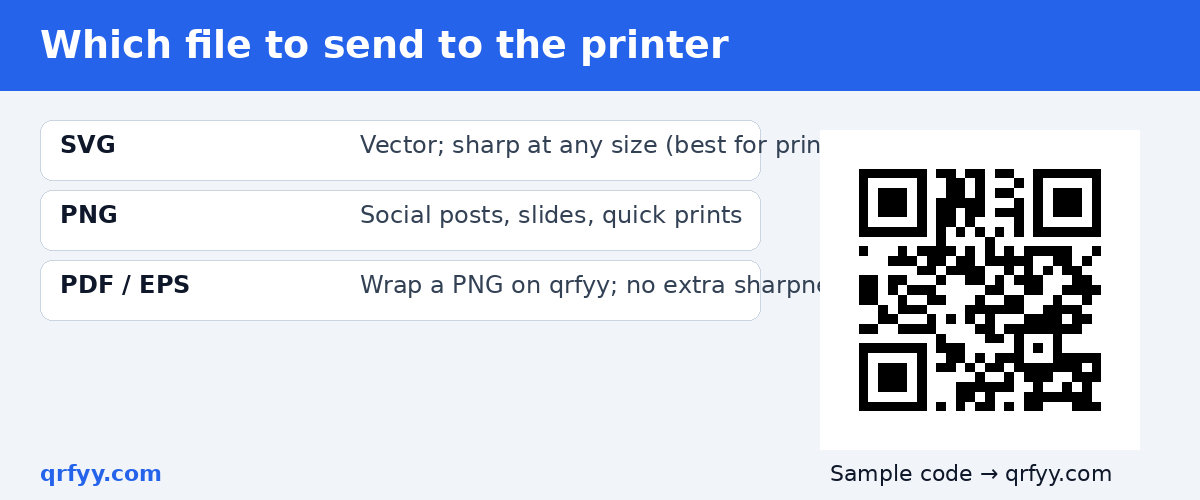
| Format | Best for | Notes |
|---|---|---|
| SVG | Posters, banners, any print | The vector file, sharp at any size |
| PNG | Social posts, slides, quick prints | Export large enough for the final size |
| PDF / EPS | Print workflows that ask for them | On qrfyy these wrap a PNG, so enlarging them won't add sharpness |
For print, SVG is the safest choice. You can download SVG, PNG, PDF, or EPS from the qrfyy generator for free, with no watermark.
Pre-print checklist
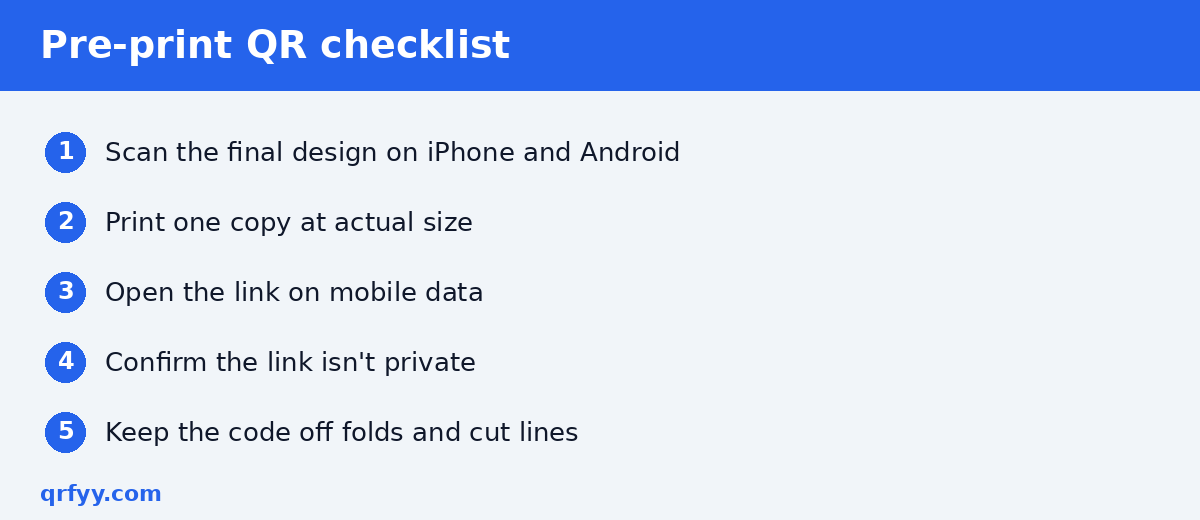
Run through this before you approve a print run:
- Scan the final design (not just the code file) with at least two phones, one iPhone and one Android.
- Print one copy at actual size and test at the real viewing distance.
- Open the destination on mobile data, not just office WiFi.
- Confirm the link isn't private or behind a login.
- Check that the call to action matches what the page delivers.
- Make sure the code isn't on a fold, bleed edge, or cut line.
Our list of 7 QR code mistakes that stop a scan covers the most common failures.
Making several versions for different locations
Want to know which neighborhood or which store posts get the most interest? Make a separate dynamic code for each location and compare scan counts. If you just need many static codes (for example, one per product or branch), the bulk generator creates up to 50 PNG files at once.
FAQ
How big should a QR code be on a flyer?
It depends on scanning distance and how much data the code holds. Use our print size guide, then test a real printout.
Will my poster QR code expire?
Static qrfyy codes never expire. Dynamic codes stay active until you deactivate or delete them.
Can I track how many people scanned my poster?
Yes, with a dynamic code. Static codes are not tracked.
Which file should I send to the printer?
SVG, the vector format, stays sharp at any size.
Can I put a QR code on a colored background?
Yes, as long as the code stays dark on a light area with enough contrast and a clear margin. Test before printing. Designing a flyer today? Generate a free, print-ready QR code on qrfyy.
Ready to create your own QR code?
Try qrfyy free