How to Make a QR Code Bigger Without Losing Quality
Your QR code looks blurry or pixelated when enlarged? Here's why, and how to get a sharp code at any size: regenerate, use SVG, or resize the right way.
By James Dom · ·
You downloaded a QR code, dropped it into a poster design, stretched it to fit, and now it looks soft and fuzzy around the edges. Maybe it still scans on screen, but you're nervous about sending it to the printer.
The fix is simpler than most image editing: you almost never need to "enlarge" a QR code at all. You regenerate it, or use a format that can't blur. Here's how.
Why QR codes get blurry when you enlarge them
Most downloaded QR codes are PNG files: a grid of pixels. When you stretch a PNG, your design app has to invent new pixels in between. Most apps blend neighboring pixels to make photos look smooth, which turns the crisp edge between a black module and a white one into a grey gradient.
For a photo, that's fine. For a QR code, it's a problem. The decoder has to decide whether each module is dark or light, and grey edges make that decision harder, especially once the code is printed and ink spreads a little.
Option 1: Download SVG (best for anything you'll resize)
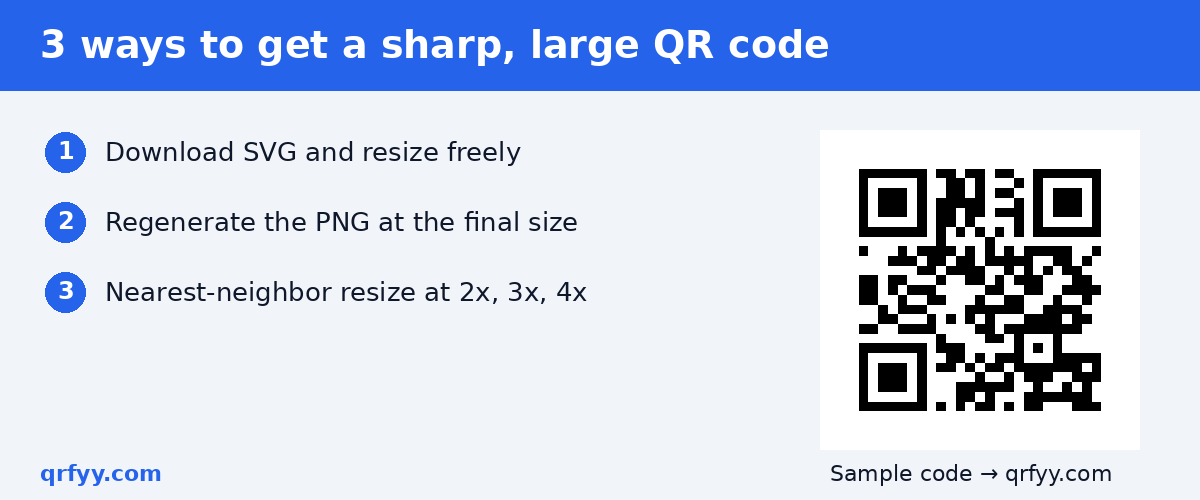
SVG is a vector format. It describes shapes, not pixels, so it renders perfectly sharp at any size, from a business card to a tarpaulin.
- Open the qrfyy QR code generator.
- Enter your link and design the code.
- Download SVG.
- Place the SVG in Canva, Illustrator, Affinity, Inkscape or your print shop's software, and resize freely.
On qrfyy, SVG is the vector file. The PDF and EPS downloads wrap a PNG, so enlarging those won't make the code sharper. Choose SVG for large prints.
Option 2: Regenerate the PNG at the size you need
If your tool or printer only accepts PNG, don't stretch a small one. Make a new one at the right size. A QR code is calculated from its data, so a fresh copy costs nothing.
How many pixels do you need?
For print, a common target is 300 dots per inch at the final size. Convert like this:
- pixels = inches × 300
- pixels = centimeters × 300 ÷ 2.54
So a 2-inch code needs about 600 px, and a 10 cm code about 1,181 px. For large-format prints viewed from a distance, printers often work at lower resolutions; ask your print shop what they want.
Option 3: Resize the right way (if you must)
Sometimes you only have the small image: an old file, a screenshot, or a code someone sent you. You can still enlarge it cleanly if you follow two rules.
Use nearest-neighbor resizing
Nearest-neighbor interpolation copies the closest pixel instead of blending, so edges stay hard. In Photoshop it's "Nearest Neighbor (hard edges)"; in GIMP, set Interpolation to "None."
Scale by whole numbers
Enlarge by exactly 2×, 3×, 4× and so on. At an odd factor like 2.4×, some modules end up wider than others, which distorts the grid the decoder relies on.
Better: decode it and start fresh
Upload the small image to the qrfyy scanner to read the link or text inside it, then paste that into the generator and download a clean SVG. Check that the decoded link is still the one you want first.
Which format should you use?
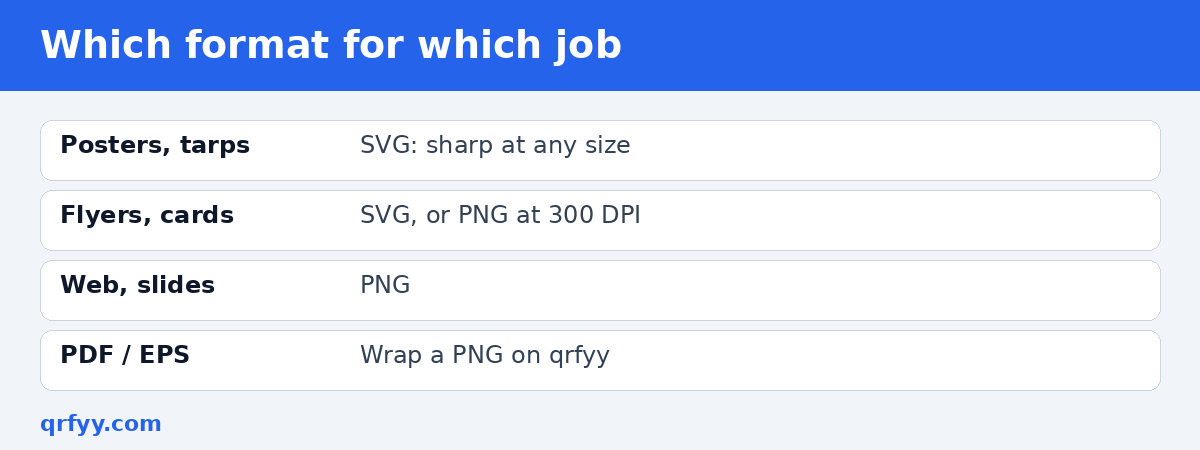
| Use | Best format | Why |
|---|---|---|
| Posters, banners, tarpaulins | SVG | Sharp at any size |
| Flyers and business cards | SVG (or PNG at 300 DPI) | Clean edges in print |
| Websites and slides | PNG | Simple, widely supported |
| Print shop asks for PDF/EPS | Ask if they accept SVG | qrfyy's PDF/EPS wrap a PNG |
Common mistakes when resizing QR codes
- Cropping the margin while resizing. Keep the white border around the code.
- Stretching non-proportionally. A squashed QR code may not scan. Hold Shift (or lock the aspect ratio) when resizing.
- Using AI upscalers. They "improve" images by inventing detail, which can change modules.
- Placing a code on a busy background. qrfyy does not download a transparent PNG. See transparent background QR codes.
- Going too big for the space. Bigger is generally easier to scan, but see our QR code size for printing guide for sensible sizes.
Making many large codes at once
If you need several codes for print, say one per product or branch, the bulk QR code generator creates up to 50 static PNG files in your browser from a list with one link per line. For very large prints, regenerate the key ones as SVG.
What about making a QR code smaller?
Shrinking is less risky than enlarging, but the same rules apply. Scale proportionally, keep the margin, and don't go below a size people can comfortably scan at the distance they'll be standing. When you shrink a PNG, blending can also blur edges, so SVG is again the safest choice. If a small code must hold a long link, shorten the link first so the modules stay as large as possible.
Before you print
Place the final file in your layout at actual size, export a proof, print one copy and scan it from the real viewing distance. Our checklist for QR codes on flyers and posters walks through the rest.
FAQ
Can I make a QR code bigger without it getting blurry?
Yes. Download SVG and resize it, or regenerate the PNG at the size you need. Don't stretch a small PNG.
What resolution should a QR code be for printing?
A common target is 300 DPI at the final printed size. SVG avoids the question entirely.
Why does my enlarged QR code look grey around the edges?
Your app blended pixels when enlarging. Use nearest-neighbor resizing at a whole-number scale, or regenerate the code.
Is PDF or EPS better than SVG for print?
On qrfyy, PDF and EPS wrap a PNG, so they don't add sharpness when enlarged. SVG is the vector option.
Can I recover a QR code from a small image?
Yes. Decode it with a scanner to get the link or text, then generate a fresh, sharp copy.
Ready to create your own QR code?
Try qrfyy free