QR Codes for Museum Exhibits: A Practical Guide
Use QR codes on museum exhibit labels for audio guides, video, translations and deeper stories. Placement, content and accessibility tips that work.
By James Dom · ·
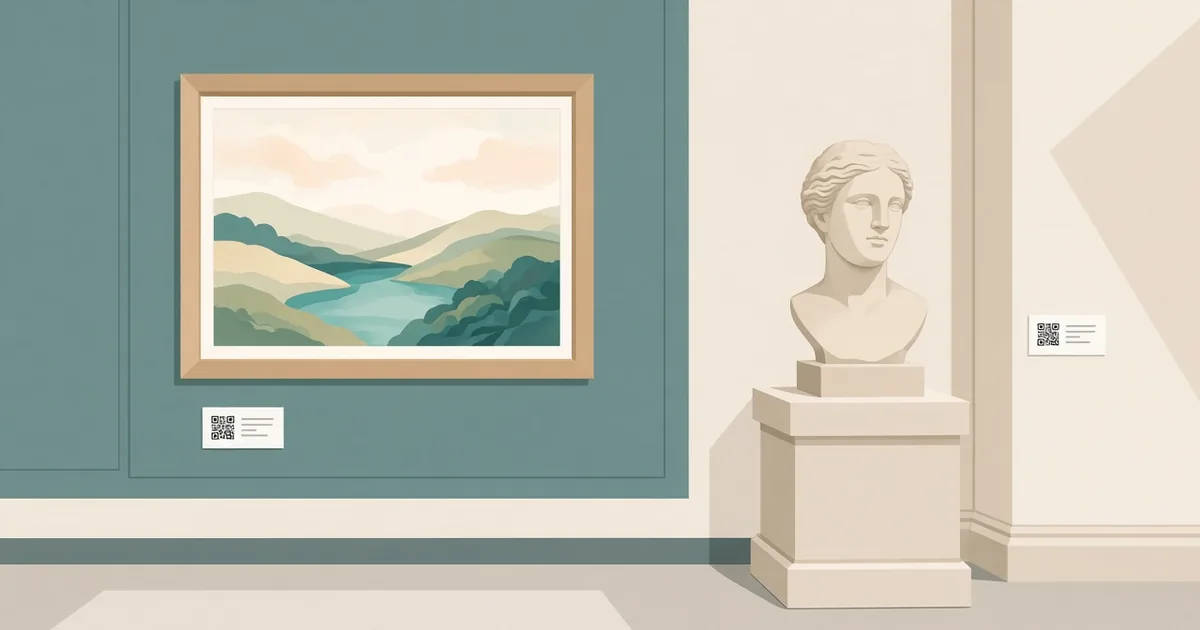
Exhibit labels have a hard job. They need to explain an object in 50 to 100 words, in a font big enough to read from a step away, often in two languages. There is never room for the full story: who made it, how it was found, what it sounded like, what experts still argue about. A QR code on the label gives curious visitors that extra layer, while the wall stays clean for everyone else.
This guide covers what to put behind the codes, where to place them, how to make them accessible, and how to keep the content up to date for years.
What a museum QR code can offer
Good museum codes give visitors something the label cannot:
- Audio guides. A one to three minute recording from a curator, an artist or a local voice. An audio QR code opens it straight in the browser, with no app download.
- Video. Restoration footage, a demonstration of how a tool was used, or an interview. See our guide to a video QR code.
- Translations. One code can open the text in a language picker, so labels don't need five languages printed.
- Deeper reading. Provenance, related objects, sources and further reading.
- Kids' versions. A simpler explanation, a question to discuss, or a small challenge.
- Accessibility. Large-print text, audio description and sign language video.
Choose app-free, browser-based content
Visitors don't want to download an app for a 90-minute visit. Most will skip anything that asks them to. Keep everything in the browser:
- a mobile web page per object or per room
- audio files that play in the page
- video hosted on a platform that loads quickly on mobile
Make the pages light. Museum buildings often have thick walls and weak mobile signal. If you offer free WiFi, put a WiFi QR code at the entrance so visitors connect in one scan before they start.
Use dynamic codes for long-running exhibits
Permanent galleries stay up for years. Temporary exhibitions travel. In both cases, the content behind a code will change: a new recording, a corrected date, a translated version, a new web platform.
A dynamic QR code lets you change the destination without reprinting or remounting labels. It also gives you scan counts. You can see which objects people want to learn more about, which is useful data for curators and for funding reports.
Where to place codes on labels
- Bottom right of the label is the most common spot. It keeps the main text first.
- Same position on every label so visitors learn where to look.
- At a comfortable height. Visitors in wheelchairs and children should be able to scan without stretching.
- Not behind glass if possible. Reflections from display cases make scanning harder.
- One code per object, or one per room. Per-object codes are best for highlights. Per-room codes work for cases with many small items.
Add a small icon and a line like "Listen: 2 min" or "Watch the restoration" so people know what they will get before they scan.
Size and print tips
For labels read from 30 to 60 cm away, a code of about 2.5 to 3 cm wide works well. Larger panels at room entrances may need 5 cm or more. Our guide to QR code size for printing has a distance-to-size table.
- Use matte label stock to avoid glare under gallery lighting.
- Keep high contrast. Pale grey codes on cream labels look elegant but scan poorly.
- Leave the white quiet zone around the code.
- Test under the actual gallery lighting, which is often dim and warm.
Our checklist on how to test a QR code before printing is worth running before you print a whole gallery.
Write web content that works in a gallery
People read differently when they are standing in front of an object. Keep the web content:
- Short at the top. A two-sentence hook, then the audio or video, then longer text below.
- Scannable. Headings, short paragraphs and images of details they might miss.
- Linked. "See the matching bowl in Room 4" helps visitors explore.
If your team drafts texts with AI to save time, give them an edit for tone before publishing. Museum writing is at its best when it sounds like a knowledgeable person talking, not a generic summary. Our sister site's humanize AI text tool can help smooth stiff first drafts before a curator does the final pass.
Make it accessible
QR codes can make a museum more accessible, but only if the content is built for it:
- Provide transcripts for every audio clip.
- Add captions to every video.
- Offer audio description for key objects.
- Make the web pages work with screen readers and large text settings.
- Always keep the key information on the printed label too. Not every visitor has a smartphone or wants to use one.
Use codes for wayfinding and feedback
Codes are not only for objects:
- Maps. A code at the entrance opens a mobile map of the galleries.
- Tours. A "highlights in 45 minutes" route.
- Feedback. A short survey at the exit. Our guide to a feedback QR code shows how to keep it short enough that people complete it.
- Donations and membership. A donation QR code near the exit or cafe can bring in support from happy visitors.
A simple rollout plan
If you are starting from zero, don't try to code every object at once. A phased plan keeps it manageable:
- Pilot one room. Pick ten highlight objects and record short audio clips for each.
- Watch for four weeks. Check scan counts and ask front-of-house staff what visitors say.
- Fix what you learn. Move codes that get no scans, shorten clips that people skip.
- Expand room by room. Reuse the same label layout and page template.
This also makes budgeting easier, because each room is a small, separate piece of work.
Measure what works
With dynamic codes, review scan data every month:
- Which objects get the most scans?
- Which rooms get few scans? Maybe the codes are badly placed.
- Do visitors finish the audio, or drop off after 20 seconds?
Use this to decide where to invest in new recordings or translations.
Common mistakes
- Codes that open a homepage instead of the object page.
- Heavy pages that take ten seconds to load on weak signal.
- Requiring an app download.
- No hint of what the code offers.
- Codes placed too high, too low or behind glare.
FAQ
Do museum visitors actually scan QR codes?
Yes, especially when the label says what they will get, such as a short audio clip or video. Scans are higher for highlight objects.
Should each object have its own QR code?
Highlight objects benefit from their own code. For cases with many small items, one code per case or room is often enough.
Do we need an app for an audio guide?
No. Audio can play straight in a mobile web page opened from a QR code.
What size should a QR code be on an exhibit label?
About 2.5 to 3 cm wide for labels read up close. Larger codes for panels read from further away.
How do we update content after printing?
Use dynamic QR codes. You can change where they point at any time without reprinting labels.
Ready to create your own QR code?
Try qrfyy free