QR Code Goes to the Wrong Link? How to Fix It (Even After Printing)
Printed a QR code that opens the wrong page, an old link or an error? Here's how to fix it for static and dynamic codes: redirects, stickers, reprints and prevention.
By James Dom · ·
It's a sinking feeling: 500 flyers are printed, the tarpaulin is up, the parcel inserts are packed, and the QR code opens the wrong page. Maybe it's an old menu, a typo, a Google Drive file nobody can access, or a page that no longer exists.
Whether you can fix it without reprinting depends on one thing: what kind of QR code it is, and who controls the link inside it. Here's how to work out which situation you're in and what to do.
Step 1: Find out exactly what the code contains
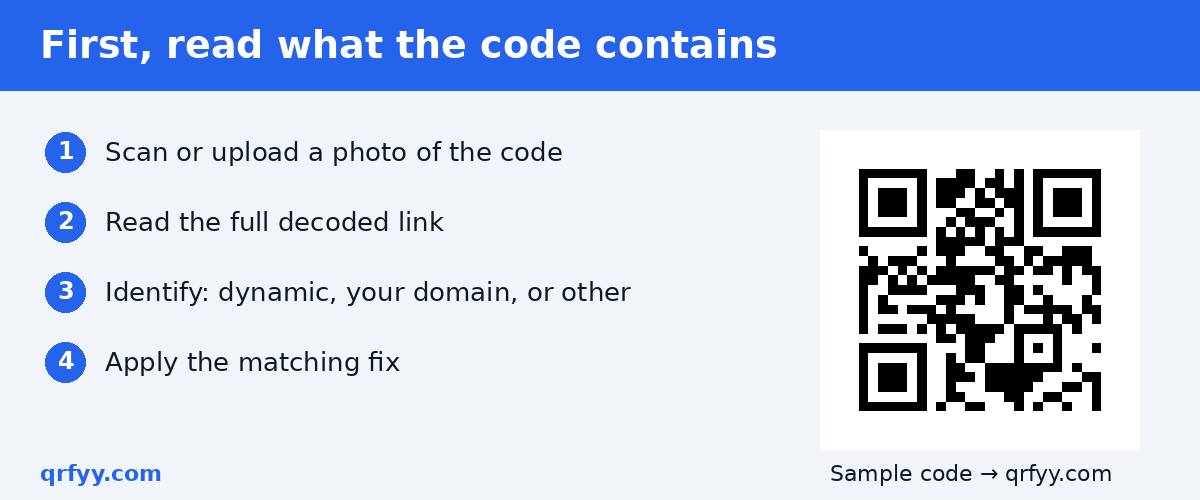
Scan the printed code and read the full link before doing anything else. The qrfyy scanner shows the decoded text without opening it. Upload a photo of the code or use your camera.
Then compare what you see:
- A long address on your own website (like `yourshop.com/menu`): probably a static code pointing at your domain.
- A short redirect link from a QR service: probably a dynamic code.
- Someone else's domain (a marketplace, a file host, a link shortener): a static code pointing at a link you don't control.
- WiFi details, contact info or plain text: a static code with no link to change.
Step 2: Fix it based on what you found
If it's a dynamic code: edit the destination
This is the easy case. A dynamic code stores a short redirect, and the service forwards scans to whatever destination you set. Log in to the service you used, find the code and change the destination. Every printed copy follows immediately.
With qrfyy dynamic QR codes you manage codes with your owner key rather than an account. A code stays active until you deactivate or delete it.
If it's static and points to your own website: add a redirect
A static code's link is part of the printed pattern, so you can't change the code. But if the link is on a domain you control, you can change what that address does. Set up a permanent redirect from the old address to the correct page. Google's guidance on 301 redirects explains how permanent redirects work, and MDN's reference for HTTP 301 covers the technical detail.
In practice:
- WordPress: use a redirection plugin to forward `/old-page` to `/new-page`.
- Shopify, Wix, Squarespace: use the built-in URL redirect settings.
- Deleted page: restore it, or redirect it to the closest replacement.
Every printed code keeps working, as long as you keep the redirect in place.
If it's static and points to a link you don't control
If the link is on someone else's platform, you can't redirect it. Options:
- Fix the destination if you can. If it's your file on Google Drive set to "Restricted," change sharing to "Anyone with the link." If it's your marketplace listing that was unpublished, republish it.
- Cover the old code with a sticker. Print a new code on an opaque sticker and place it squarely over the old one. Make it clearly part of the design: customers have been warned about tampered QR stickers, so a sloppy sticker can look suspicious.
- Reprint. For small runs (table cards, counter signs) this is often the cleanest fix.
If it's a typo in the domain
If the code points to a misspelled domain, check whether that domain is available. If it is, registering it and redirecting it to your real site can rescue printed materials. Don't leave it unregistered: typosquatters deliberately register misspellings of real domains.
If it's WiFi, a contact card or text
There's nothing to redirect; the data is in the pattern. If the WiFi password changed, either change it back or reprint the code.
Quick decision table
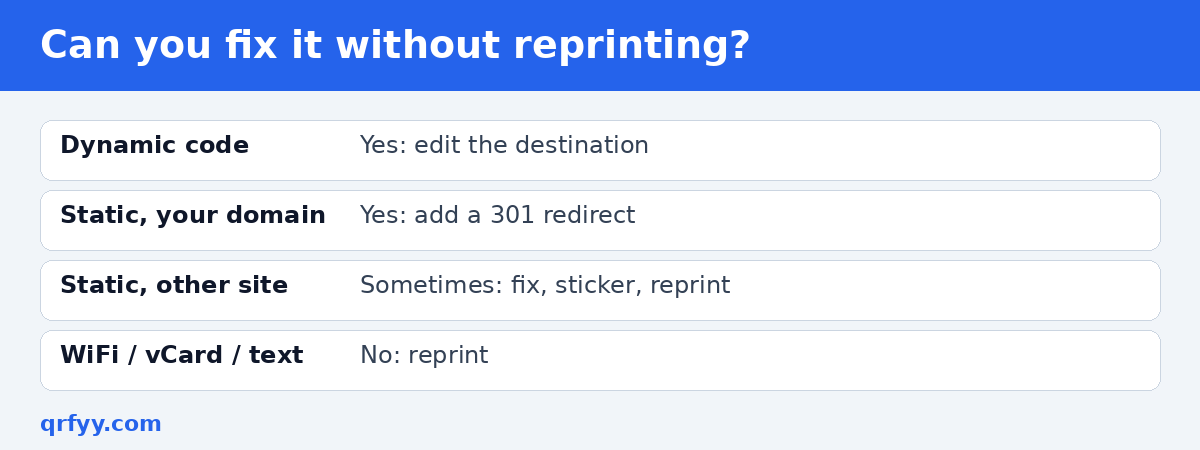
| What the code contains | Can you fix it without reprinting? | How |
|---|---|---|
| Dynamic redirect | Yes | Edit the destination |
| Static, your domain | Yes | Add a 301 redirect |
| Static, someone else's link | Sometimes | Fix the file/listing, sticker, or reprint |
| Typo domain | Maybe | Register it and redirect |
| WiFi / vCard / text | No | Reprint |
How to prevent this next time
- Decide before printing whether the link might change. If it might (seasonal menus, promos, event details), use a dynamic code. Our static vs dynamic QR codes guide explains the trade-off.
- Point static codes at your own domain when possible, so you can always redirect later.
- Test the final link on mobile data in a private window before approving the print run.
- Keep a list of every printed code, what it contains and where it's placed.
- Make the replacement code fresh. Generate the new code on the free qrfyy generator and download SVG for print.
For large print runs like parcel inserts, it's worth using a dynamic code even if you don't expect changes.
Is the code broken, or did it expire?
Static QR codes don't expire, because the link is stored in the image. If a code stopped working, either the destination changed or it was a dynamic code from a service whose subscription or trial ended. Read do QR codes expire? for more.
FAQ
Can I change the link on a printed QR code?
Only if it's a dynamic code, or a static code pointing at a domain you control (via a redirect). Otherwise you'll need a sticker or reprint.
How do I know if my QR code is static or dynamic?
Scan it and read the link. A short redirect link from a QR service usually means dynamic; your full web address usually means static.
Will a redirect hurt my website?
A properly set up permanent redirect simply forwards visitors to the new page. Keep it in place as long as the printed codes are in use.
Is it okay to cover a QR code with a sticker?
Yes, if it's neat and clearly yours. Make sure it fully covers the old code so phones don't read both.
Why does my QR code go to a page I didn't set?
Check for tampering: someone may have stuck a different code over yours. Inspect the physical sign and compare the scanned link with the one you created.
Ready to create your own QR code?
Try qrfyy free