How to Check a QR Code Link Before Opening It (Phone & Laptop)
Learn how to preview where a QR code goes before you open it, read the real domain, and spot fake or tampered codes, including on payment signs in the Philippines.
By James Dom · ·
QR codes are everywhere: menus, parking meters, parcels, payment stands, posters on poles. Most are harmless. But because you can't read a QR code with your eyes, it's an easy way to hide a bad link. The FBI's Internet Crime Complaint Center has warned that criminals tamper with QR codes to redirect victims to malicious sites that steal login and financial information.
The good news: checking a code before you open it takes about five seconds. Here's how to do it on any phone or laptop, what to look for, and what to do if you've already tapped a link you shouldn't have.
Your phone already shows you the link
You don't need a special app. When your phone's camera recognizes a QR code, it shows the link and waits for you to tap. As the SANS Institute's security newsletter puts it, your device will ask you if you want to act on the information before it does anything. That pause is your chance to check.
- iPhone: point the Camera app at the code. A banner shows the address. Read it before tapping.
- Android: use the camera's QR mode or Google Lens. The link appears with an Open button.
For more on the basics, see how to scan a QR code on iPhone and Android.
Check without any risk of opening
If you want to read the contents with zero chance of accidentally opening the link, use a scanner that only displays the text.
- Take a photo or screenshot of the code.
- Upload it to the qrfyy scanner.
- Read the decoded text. Nothing opens unless you choose to.
The qrfyy scanner decodes in your browser and doesn't send the image to a qrfyy server. It's also handy for codes sent by chat or email; see how to scan a QR code from a screenshot.
How to read the link: find the real domain
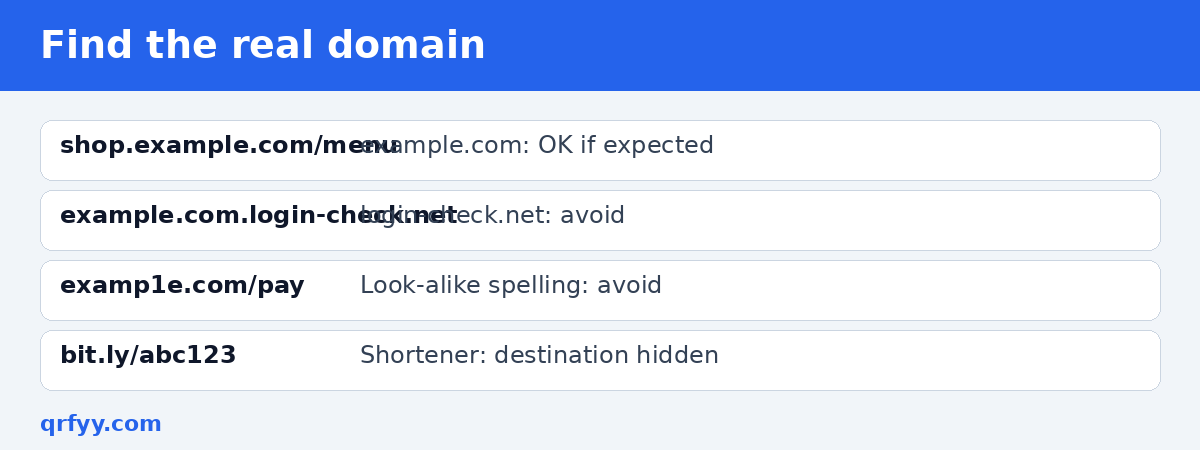
Attackers rely on people glancing at a familiar brand name somewhere in the link. What matters is the actual domain name, the part right before the first single slash after `https://`.
| Link | Real domain | Safe? |
|---|---|---|
| `https://shop.example.com/menu` | example.com | ✅ if you expect example.com |
| `https://example.com.login-check.net/` | login-check.net | ❌ |
| `https://examp1e.com/pay` | examp1e.com | ❌ (number 1, not letter l) |
| `https://bit.ly/abc123` | bit.ly (a shortener) | ⚠️ destination hidden |
Red flags
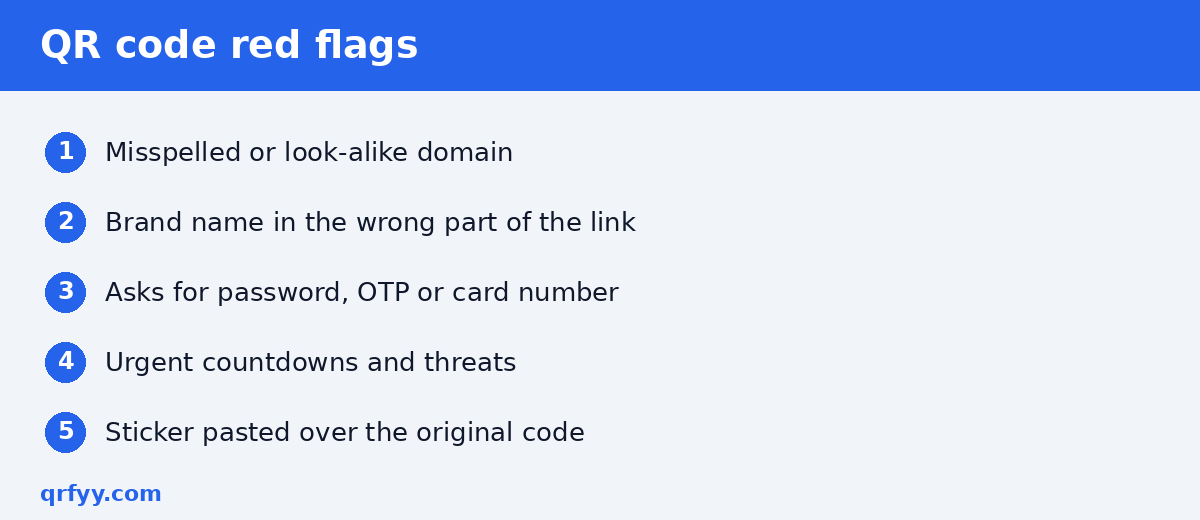
- Misspellings and swapped letters, a trick known as typosquatting.
- A brand name in the wrong place, such as `gcash.verify-account.xyz`.
- Link shorteners on something official like a parking meter or a bank notice. They hide the final destination.
- Pages asking for passwords, OTPs or card numbers right after a scan.
- Pressure: "Scan within 10 minutes or your account will be locked."
Payment QR codes are different
Many payment codes, like the ones e-wallets and banks use for QR Ph in the Philippines, don't contain a website link at all. Your e-wallet app reads them directly. You can't "preview a domain," so the check moves to your payment app's confirmation screen:
- Scan with your e-wallet or banking app.
- Read the recipient name before you confirm. Does it match the store or person you're paying?
- If it doesn't match, or the name is a random individual at a big store, stop and ask the cashier.
Sellers can help customers trust them by printing the account name next to the code and checking the sign daily for stickers. See GCash QR codes for your store and Maya QR codes for sellers.
Check the physical code too
- Look for a sticker over the original code, especially on parking meters, payment stands and menus.
- Be wary of codes in unexpected places, like a flyer on your windshield or an unsolicited parcel.
- Unexpected QR codes in emails and texts deserve extra suspicion. If a message claims to be from your bank, open the bank's app directly instead.
For more safety tips, read are QR codes safe?
Teach the habit to family members
Older relatives and kids are often the ones who scan without thinking. A simple rule is easy to remember: read the link, then decide. Show them where the preview banner appears on their phone, and practice once on a harmless code, like a restaurant menu. Remind them that a real bank, e-wallet or government office won't ask for a password or one-time PIN through a page opened from a random QR code. If something feels off, close it and ask first. That one pause stops most QR scams.
What to do if you already opened a bad link
- Don't enter any information. Close the page.
- If you entered a password, change it right away from the official app or site, and turn on two-factor authentication.
- If you entered card or e-wallet details, contact your bank or e-wallet provider through its official hotline or app.
- Don't download anything a QR page asks you to install.
FAQ
Can scanning a QR code hack my phone?
Scanning alone shows you text or a link. The risk comes from opening a malicious page and entering information, or installing something it asks for.
How can I see where a QR code goes without opening it?
Read the link in your camera's preview banner, or upload a photo to a scanner that only displays the decoded text.
Are shortened links in QR codes dangerous?
Not always, but they hide the final destination. Be extra careful with shorteners on anything that handles money or logins.
How do I check a payment QR code?
Payment codes often have no link. Check the recipient name in your payment app before confirming.
Do I need a QR scanner app?
No. Your phone's camera or a browser-based scanner is enough. Be cautious of anything that insists you install a special app to scan.
Ready to create your own QR code?
Try qrfyy free